10 eBay Listing Mistakes That Can Cost You Sales (And How to Fix Them)
5 min read Updated September 2024
You can have a great product, competitive pricing, and plenty of inventory—and still struggle to make sales on eBay.
Why?
Sometimes the problem isn't the product. It's the listing.
Your eBay listing is often the first thing a potential buyer sees. If your title doesn't match what they're searching for, your photos don't inspire confidence, your description is difficult to read, or your listing looks unprofessional on mobile, buyers may simply move on to the next seller.
The good news is that many of these problems are easy to fix.
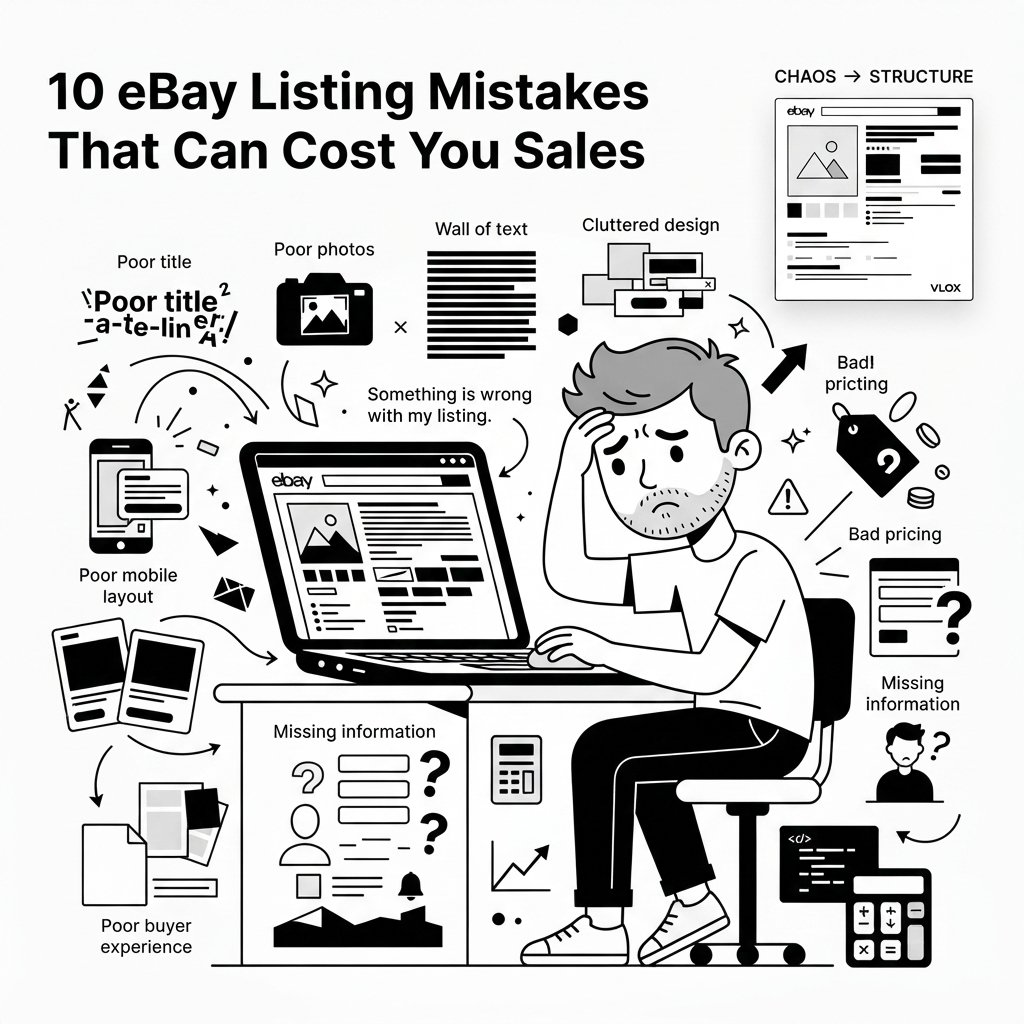
Here are 10 common eBay listing mistakes that could be costing you sales—and what you can do about them.
1. Your eBay Title Isn't Optimized
Your title is one of the most important parts of your eBay listing.
It's not just there to tell shoppers what you're selling. It also helps eBay understand what your product is and match it with relevant searches.
A vague title can make it harder for the right buyers to find your listing.
For example:
Weak:
Nice Watch For Sale
Better:
Men's Casio G-Shock Digital Watch Black Resin Band DW-5600E
The second title gives shoppers much more useful information.
Include important details such as:
- Brand
- Product type
- Model
- Size
- Color
- Material
- Important features
- Relevant keywords buyers might search for
At the same time, avoid stuffing your title with unnecessary keywords. Your goal should be to make the title clear, relevant, and useful to the buyer.
How to fix it
Before publishing, ask yourself:
“If I were looking for this product on eBay, what words would I type into the search box?”
Build your title around those words while keeping it natural and accurate.
2. Your Product Photos Don't Sell the Product
Online shoppers can't pick up your product, inspect it, or try it before buying.
Your photos have to do some of that work for you.
One blurry image isn't going to give buyers much confidence—especially when competing listings have clear, detailed photos from multiple angles.
Your main image should immediately show buyers what they're getting.
Whenever appropriate, include additional photos showing:
- Different angles
- Important features
- Labels and model numbers
- Product dimensions
- Accessories included
- Signs of wear or damage
- Packaging
- Close-ups of important details
For used products, showing imperfections isn't necessarily a disadvantage. Transparency can build trust.
How to fix it
Use good lighting, a clean background, sharp images, and enough photos to answer the questions a buyer might have before purchasing.
Think of your photos as part of your sales pitch.
3. Your Description Is a Wall of Text
Nobody wants to open an eBay listing and be greeted by one giant paragraph.
Even if your description contains all the right information, poor formatting can make it difficult to read.
Buyers typically scan listings rather than reading every word.
Make important information easy to find.
Instead of:
This product is made from high quality materials and comes in black and includes the original accessories and measures approximately...
Break the information into sections:
Product Features
- Premium construction
- Black finish
- Includes original accessories
- Compact design
Specifications
- Brand: Example
- Model: XYZ-100
- Color: Black
- Condition: New
This makes the same information much easier to understand.
How to fix it
Use:
- Short paragraphs
- Headings
- Bullet points
- Clearly separated sections
- Consistent formatting
Good listing design isn't about making things flashy.
It's about making information easy to find.
4. Your Listing Looks Cluttered or Unprofessional
Your listing doesn't need to look like a luxury website.
But it should look organized.
Too many colors, fonts, banners, animated elements, oversized images, or unnecessary graphics can make a listing harder to navigate.
On the other hand, an extremely basic listing may fail to communicate important information effectively.
The goal is clarity and hierarchy.
Your product should be the star of the page—not the design itself.
A good listing should make it obvious:
- What the product is
- What makes it valuable
- What's included
- What condition it's in
- How much it costs
- How it will be shipped
- What the buyer should do next
How to fix it
Use a consistent visual structure.
For example:
Product Image → Overview → Features → Specifications → What's Included → Shipping & Returns
A well-designed HTML listing template can make this structure much easier to maintain across your store.
5. You're Ignoring Mobile Buyers
This is one of the easiest mistakes to overlook.
Your listing might look fantastic on your desktop monitor and terrible on a smartphone.
And that's a problem.
Mobile shoppers have less screen space, so layouts that work on a large desktop display can become difficult to navigate on smaller screens.
Common problems include:
- Tiny text
- Images that don't fit the screen
- Content extending beyond the screen
- Horizontally scrolling sections
- Buttons or information that are difficult to find
- Excessively long blocks of text
How to fix it
Always consider how your listing will look on a smartphone.
Use responsive layouts, readable text, appropriately sized images, and simple content sections.
If you're using an HTML listing template, mobile responsiveness should be a requirement—not an afterthought.
6. You're Not Researching Competing Listings
Before listing a product, take a few minutes to look at what other sellers are doing.
Don't just look at their prices.
Look at:
- Titles
- Photos
- Descriptions
- Item specifics
- Shipping options
- Return policies
- Listing layouts
- What information they emphasize
- How they position their products
This can reveal opportunities.
For example, you might discover that competitors aren't clearly explaining an important product feature.
That's your opportunity to make your listing better.
How to fix it
Search for your product on eBay and study several competing listings.
Ask:
“What would make a buyer choose my listing instead?”
Don't simply copy your competitors.
Find ways to give buyers a better experience.
7. Your Price Doesn't Match the Market
Pricing is one of the biggest factors influencing a buyer's decision.
Price too high and buyers may choose another seller.
Price too low and you could sacrifice profit unnecessarily.
But looking only at active listings doesn't give you the complete picture.
A product listed for $100 doesn't necessarily mean buyers are actually paying $100.
Research comparable products and, where available, look at sold listings to understand what buyers have actually been willing to pay.
Also consider:
- eBay fees
- Shipping costs
- Product cost
- Competitor pricing
- Product condition
- Demand
- Your seller reputation
- Included accessories or extras
How to fix it
Don't choose a price based purely on guesswork.
Research the market, calculate your costs, and consider your desired profit margin.
And remember that pricing and presentation work together.
A professional listing can help buyers understand why your product is worth the price you're asking.
8. You're Leaving Buyer Questions Unanswered
Imagine you're interested in a product but can't find out:
- What are its dimensions?
- Is the accessory included?
- What condition is it really in?
- When will it ship?
- Does it work?
- What's included in the package?
- Does it have any defects?
What do you do?
You might message the seller.
Or you might simply move on.
Every unanswered question creates another opportunity for hesitation.
How to fix it
Put yourself in the buyer's shoes.
Before publishing your listing, ask:
“What would I want to know before spending my money on this?”
Then answer those questions clearly in your listing.
A strong product description isn't just about describing the product.
It's about removing uncertainty.
9. You're Building Every Listing From Scratch
If you sell one product, manually creating a listing may not be a big deal.
But what happens when you have 50, 100, or 500 products?
Starting from a blank page every time means repeatedly formatting the same sections, adjusting layouts, adding the same information, and trying to keep everything consistent.
It's inefficient—and it's easy to make mistakes.
You might end up with:
- Different layouts across listings
- Inconsistent fonts
- Missing sections
- Different image sizes
- Inconsistent branding
- Formatting errors
How to fix it
Create a reusable listing template.
Instead of designing every listing from zero, create your structure once and reuse it.
You can then replace the product-specific information while keeping your overall design consistent.
This can save time while giving your store a much more professional appearance.
10. You're Focusing on Design Instead of the Buyer Experience
Here's the biggest mistake of all.
Some sellers think a great listing means adding as many design elements as possible.
It doesn't.
A listing can have beautiful colors, fancy graphics, and an impressive layout—and still be a bad listing.
Why?
Because design should support the buyer, not distract them.
The best listing design helps buyers quickly understand:
What is this?
Why should I care?
What's included?
Is it right for me?
Can I trust this seller?
How much does it cost?
How do I buy it?
That's what good listing design is really about.
A Quick eBay Listing Checklist
Before publishing your next listing, run through this checklist:
 Search & Title
Is the title clear and relevant?
Does it include important product keywords?
Have unnecessary words been removed?
 Images
Is the main image clear?
Do you have enough photos?
Are important details visible?
Have you shown defects or wear when applicable?
 Description
Is the description easy to scan?
Are important features clearly highlighted?
Are specifications easy to find?
Have you answered common buyer questions?
 Pricing
Have you researched comparable products?
Have you checked sold listings?
Have you calculated fees and shipping costs?
Is your price competitive?
 Mobile
Does the listing work well on a smartphone?
Is the text readable?
Do images fit properly?
Is the layout easy to navigate?
 Presentation
Is the layout clean?
Is the information organized?
Is the design consistent?
Does the listing look professional?
Create Better eBay Listings With Vlox
Fixing these mistakes doesn't mean you need to become a web designer or learn how to code HTML.
If you sell multiple products, one of the easiest ways to improve your listing presentation is to use reusable eBay listing templates.
That's what Vlox is designed to help with.
Vlox is a visual, drag-and-drop eBay listing template designer that lets you build professional listing layouts without starting from scratch every time.
You can create your template, customize the sections you need, and reuse the design across your products.
Instead of repeatedly asking:
“How should I format this listing?”
You can create your structure once and focus on the product itself.
Better listings don't have to mean more work.
With the right template and a buyer-focused approach, you can create listings that are:
- Easier to read
- More consistent
- More professional
- Mobile-friendly
- Faster to build
- Easier to reuse
Your listing is more than a product description. It's your product's storefront.
Make it count.
 Try Vlox and start building your own eBay listing templates:
Ready to boost your sales?
Start Using eBay Listing Templates Today
Transform your eBay listings with professional templates that convert browsers into buyers.